AI that never leaves your desk.
Ask it as much as you like, about your own files, on your own computer. No subscription, no message limits, nothing uploaded.
Three steps, then it is yours
- 1
Install it
One click. Nothing to configure and no account to create.
- 2
Pick one it says will run well
It has already checked your computer. The download is about the size of a film.
- 3
Start typing
That is the whole setup. Turn your internet off afterwards if you like.
For individual users
Everything, as often as you like
Ask it anything, all day
No meter, no message cap, no monthly bill. Once a model is on your machine it costs nothing to use.
Know what you can and cannot run
It reads your actual graphics card and says plainly: runs great, runs slowly, or will not run — before you download five gigabytes.
Nothing leaves the machine
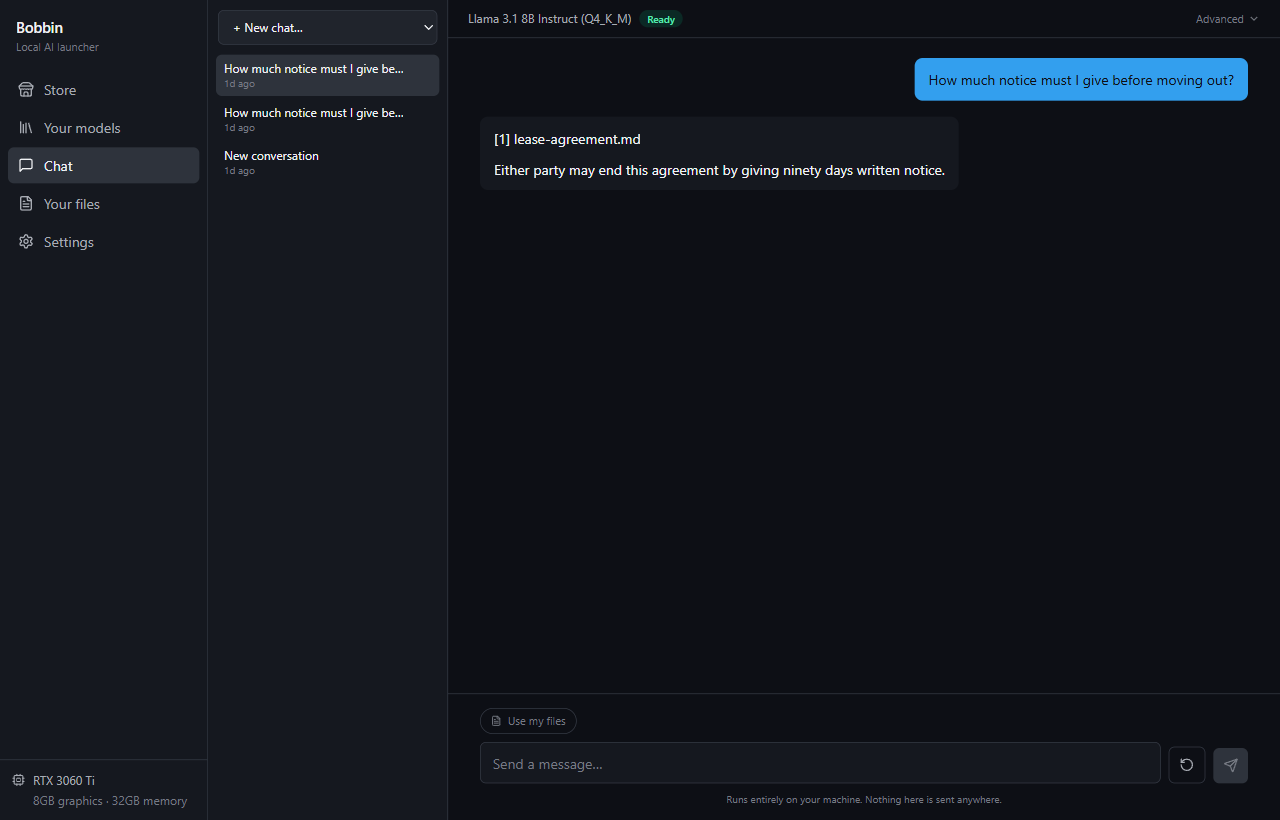
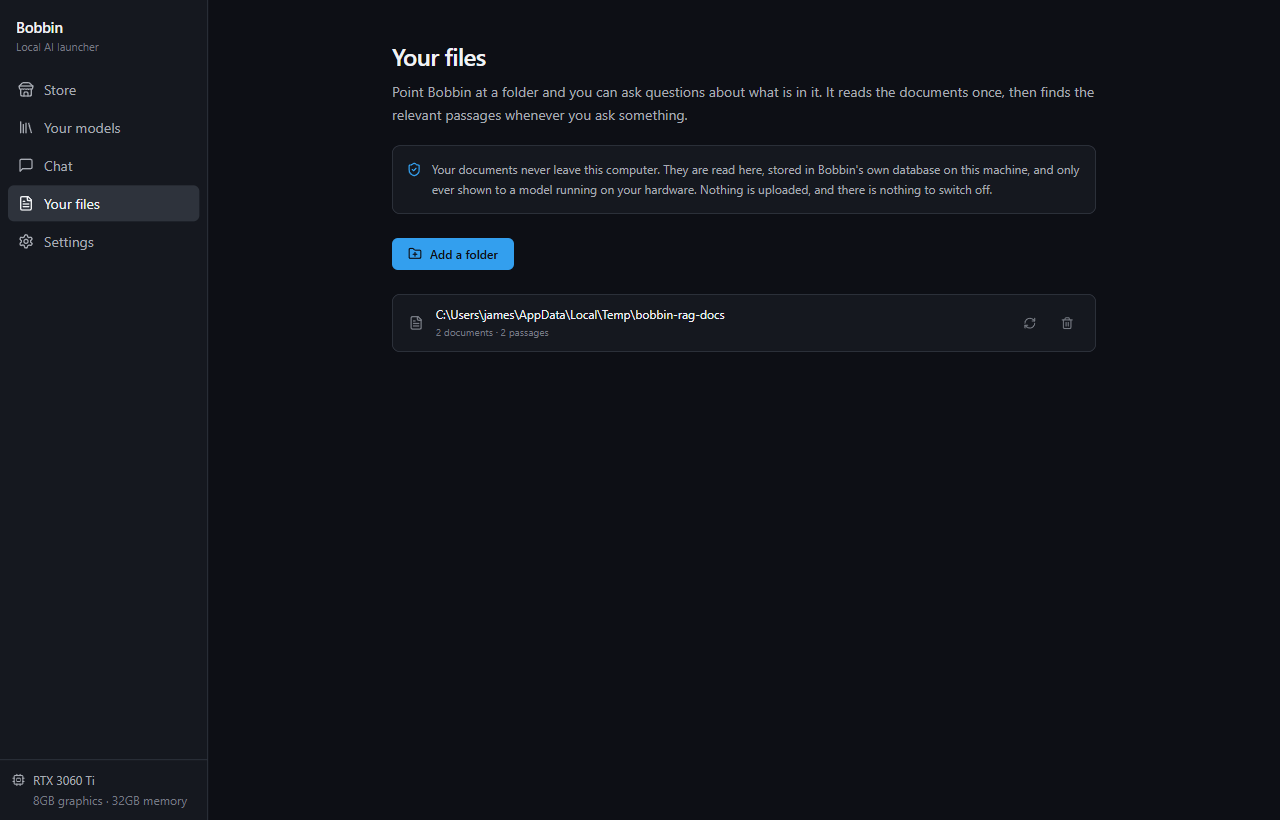
Not the question, not the answer, not the document you opened. No account, no upload, nothing to switch off.
It reads your own files
Point it at a folder of notes or contracts and ask. It tells you which file each answer came from.
Nothing to set up
One installer. No command line, no Python, no keys to paste. It works out your hardware for you.
For small practices
When the answer to “where did the data go?” has to be nowhere
A solicitor, an accountant, a clinician or a therapist often cannot send client material to a third-party service at all — whatever it costs, and whatever the provider promises.
The files you cannot upload
Client records, case notes, patient files. Point it at the folder and ask about what is inside — the documents never leave the machine in your office.
Nothing to put in a data agreement
There is no processor to name and no transfer to disclose, because nothing is transmitted. The question your compliance policy asks does not arise.
No per-seat billing
Install it on every machine in the practice. There is no account to buy, no seat count to true up, and no renewal to negotiate.
Works on a machine with no internet
Once a model is installed it never needs the network again. That suits an isolated workstation, and it is the simplest possible answer to where the data went.
Honestly, against the cloud
It wins some of these and loses others. Better you know which before downloading five gigabytes.
| Feature | Cloud AI | Bobbin |
|---|---|---|
| Cost to use | Monthly subscription | Free, after the download |
| How much you can ask | Capped, then throttled | As much as you like |
| Where your files go | Uploaded to a server | Stay on your computer |
| Works offline | No | Yes |
| Needs an account | Yes | No |
| Answer quality | Best available | Good, not the best |
| Speed | Fast, always | Depends on your PC |
The last two rows are the trade. Models that fit on one computer are smaller than the ones in a data centre. For drafting, summarising and questions about your own documents the gap is small; for hard reasoning it is real.
See what your computer can run
It checks your hardware the first time you open it. If nothing on the list suits your machine, it will tell you that too.